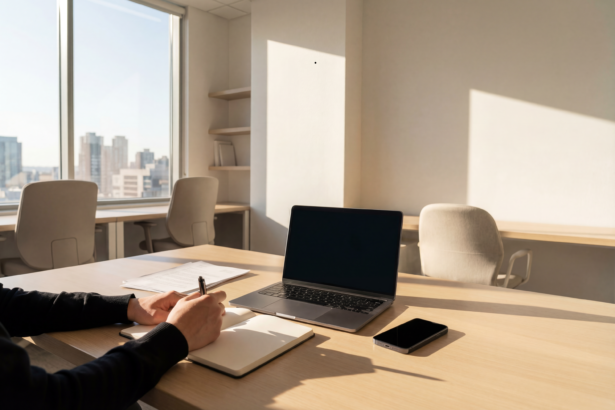




For many, transition to remote work felt like a dream come true. No more loud open-plan offices, no exhausting small talk by the water cooler, and no draining commutes. But after a few weeks of working from the kitchen table or a corner of the bedroom, reality sets in.
- Why Learning How to Set Up a Quiet Home Office for Beginners Matters
- Step 1: Choosing the Perfect Low-Stimulus Location
- Step 2: Mastering the Ergonomic Desk Setup for Small Spaces
- Step 3: Crafting a Minimalist Remote Work Environment
- Step 4: Sensory Optimization and Noise Control
- Actionable Home Office Productivity Tips for Daily Success
- Your Personal Sanctuary Awaits
Household noises disrupt your focus. Visual clutter drains your energy. Without a intentional setup, your home office can quickly become just as overstimulating as the corporate cubicle you left behind.
As introverts, our brains process environmental stimuli deeply. We don’t just prefer quiet; we need it to produce high-quality work.
This comprehensive guide will show you exactly how to transform any corner of your house into a high-functioning, low-stimulus workspace. You do not need a massive budget or a degree in interior design. You just need a systematic approach tailored to how your mind operates.
Why Learning How to Set Up a Quiet Home Office for Beginners Matters
If you are an absolute beginner to remote work, you might think any desk and chair will do. However, understanding how to set up a quiet home office for beginners is about more than just aesthetics—it is about psychological safety and energy management.
Introverts thrive in environments where they can control sensory input. In an unoptimized home workspace, you are constantly battling micro-distractions: the hum of the refrigerator, family members walking past, or a stack of dirty dishes in your line of sight. These distractions trigger cognitive fatigue, causing your productivity to plummet.
By intentionally structuring your space, you protect your energy reserves. This allows you to enter a state of deep focus faster and maintain it longer. Let’s break down the step-by-step process to build your ultimate productivity sanctuary.
Step 1: Choosing the Perfect Low-Stimulus Location
The foundation of a great workspace is its location. If you have a spare room with a door that closes, you have found your winner. But if you are working with limited real estate, you need to be strategic.
The Power of Corner Spaces
When square footage is tight, look for underutilized corners. An effective introvert workspace design relies on minimizing peripheral movement. Facing a wall or a corner prevents your eyes from tracking movement in the rest of the house, keeping your brain in a calm state. Consider converting a large closet (a “cloffice”) or utilizing the quietest corner of a guest bedroom.
Managing Natural vs. Artificial Light
Light dramatically impacts your mood and focus levels. Avoid placing your desk directly facing a bright window, as the constant shifting of clouds and outdoor movement can create visual distraction.
Instead, position your desk perpendicular to the window. This setup grants you the mood-boosting benefits of natural light without the direct glare or external distractions. For early mornings or late nights, invest in warm, dimmable LED desk lamps rather than harsh overhead fluorescent lighting.
Step 2: Mastering the Ergonomic Desk Setup for Small Spaces
Physical discomfort is a silent productivity killer. If your back aches or your wrists throb, your brain cannot focus on deep, creative tasks.
Ideal Ergonomic Alignment:
Eye Level ———> Top 1/3 of Monitor Screen
Elbows ————> 90-Degree Angle to Desktop
Feet ————–> Flat on the Floor or Footrest
Selecting the Right Desk and Chair
An ergonomic desk setup for small spaces does not require an executive budget. Look for a compact desk that fits your designated corner without crowding the room.
Your chair is your most critical investment. Avoid trendy, unsupportive dining chairs. Choose an office chair that offers:
- Adjustable lumbar support to protect your lower back.
- Pneumatic seat height adjustment so your feet rest flat on the floor.
- Adjustable armrests that allow your shoulders to remain relaxed.
Pro-Tip: If your budget is tight, prioritize a high-quality ergonomic chair over an expensive desk. You can always use a simple tabletop, but an unsupportive chair will cause long-term physical strain. Check out Best Budget Ergonomic Chairs.
Monitor and Keyboard Placement for Physical Comfort
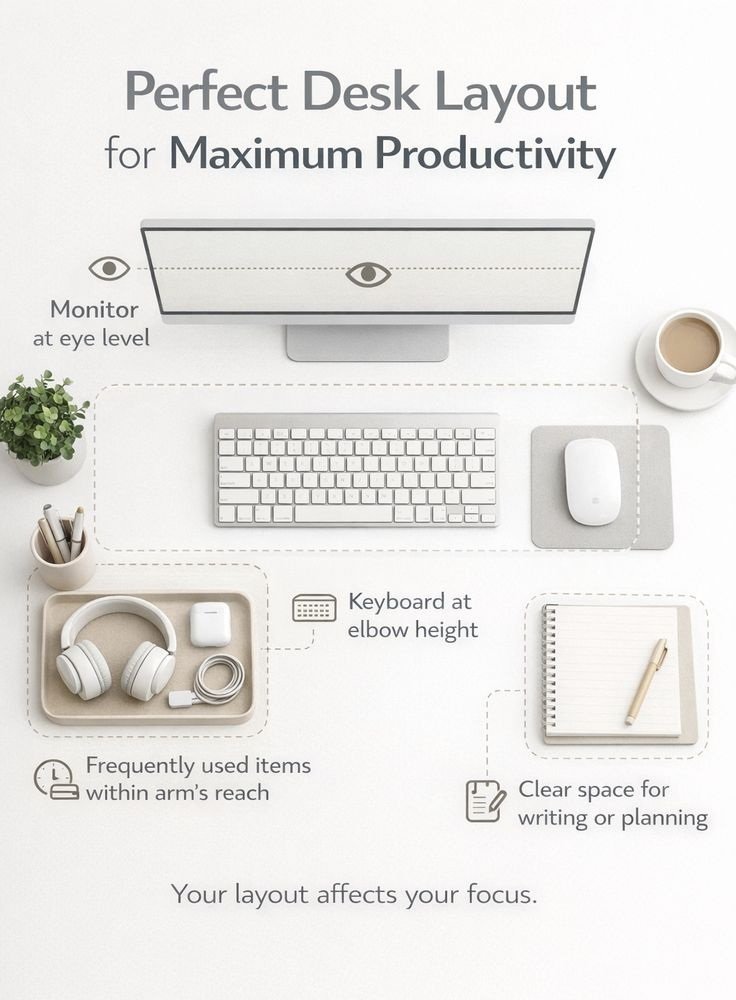
To prevent neck strain, your monitor should be directly in front of you, about an arm’s length away. The top of the screen should be at or slightly below eye level.
Your keyboard and mouse should be positioned so that your elbows form a 90-degree angle, keeping your wrists neutral. If your desk is too high, raise your chair and use a footrest to keep your body aligned. For deeper insights on protecting your physical health while working remotely, review the official ergonomic guidelines outlined by the Mayo Clinic Ergonomics Guide.
Step 3: Crafting a Minimalist Remote Work Environment
Visual noise creates mental noise. For an introvert, a desk piled high with papers, charging cables, and random coffee mugs acts as a visual to-do list, constantly pulling at your attention.
Decluttering for Mental Clarity
Adopting a minimalist remote work environment means keeping only the absolute essentials within arm’s reach. At the end of every workday, spend two minutes clearing your desk.
- File away loose papers.
- Put pens back in their drawer.
- Take used mugs to the kitchen.
Starting the next morning with a clean slate reduces early-morning decision fatigue and allows you to dive straight into your primary tasks.
Visual Distraction Blockers
If you cannot avoid setting up your office in a high-traffic area, use physical boundaries to protect your focus.
- Room Dividers: A simple folding screen or a tall bookshelf can physically block your view of the rest of the room.
- Desk Plants: Adding low-maintenance greenery like a pothos or snake plant introduces a calming nature element while breaking up your line of sight.
- Cable Management: Use Velcro ties or under-desk trays to hide unsightly cords. Out of sight truly means out of mind.
Step 4: Sensory Optimization and Noise Control
For introverts, controlling the acoustic environment is just as important as managing the visual layout. Sudden or repetitive sounds shatter deep concentration.
Soundproofing Hacks for Remote Workers
If structural changes aren’t an option, you can still significantly dampen external sound using these simple hacks:
- Weather Stripping: Install affordable foam weather stripping around your office door to seal gaps where sound travels.
- Heavy Textiles: Hang thick, sound-dampening curtains over windows or nearby walls. Placing a plush area rug under your desk will also absorb echoes.
- Door Sweeps: Slide a draft stopper or door sweep under your office door to block hallway noises.
Utilizing Soundscapes and Ambient Noise
Total silence can sometimes amplify tiny background noises. To create a consistent acoustic blanket, use high-quality active noise-canceling (ANC) headphones. Pair them with ambient sounds rather than lyrical music, which can interfere with the language processing parts of your brain.
| Audio Type | Best Used For | Psychological Benefit |
| Brown Noise | Deep focus & writing | Calms an overactive mind by masking high-frequency sounds. |
| Binaural Beats | Problem-solving & coding | Promotes sustained cognitive focus and reduces anxiety. |
| Rain Sounds | Routine administrative tasks | Lowers stress levels and creates a cozy, safe atmosphere. |
Actionable Home Office Productivity Tips for Daily Success
Once your physical environment is optimized, you must establish the daily habits that keep your momentum going. Here are essential home office productivity tips curated specifically for the introverted remote worker.
Defining Clear Work-Life Boundaries
When your home is your office, it is incredibly easy for work to bleed into your personal time. Create a “shutdown ritual” to signal to your brain that the workday is officially over.
Turn off your computer, close the office door (or put a cover over your equipment if it’s in a shared room), and step outside for a brief five-minute walk. This acts as a psychological commute, helping you transition out of “work mode.”
The Pomodoro Technique for Introverts
Introverts can exhaust their mental batteries quickly when forcing continuous focus. Use a modified version of the Pomodoro Technique to pace yourself:
- Work with complete focus for 50 minutes.
- Take a 10-minute break completely away from screens.
- During this break, step away from your workspace, stretch, hydrate, or pet your dog.
- Repeat this cycle throughout the day.
This structured pacing prevents you from reaching total cognitive exhaustion by mid-afternoon.
Your Personal Sanctuary Awaits
Optimizing your home workspace is not a luxury; it is a fundamental requirement for long-term remote work success. By systematically applying these strategies, you protect your energy, honor your need for quiet, and set yourself up to perform at your absolute best.
Take a look at your current workspace today. Identify just one small change you can make immediately—whether that is clearing the clutter off your desktop or moving your desk into a quieter corner. Small, intentional adjustments accumulate into massive gains in your focus and daily peace of mind.